Prerequisites
Required setup's before setting up GovSense
Auth Setup
GovSense supports both Google OAuth and local email/password authentication. Google OAuth is optional - if you prefer local authentication, you can skip this section.
Note: Google OAuth setup is required in your .env files if you want to use the Gmail and Google Calendar connectors in GovSense.
To set up Google OAuth:
- Login to your Google Developer Console
- Enable the required APIs:
- People API (required for basic Google OAuth)
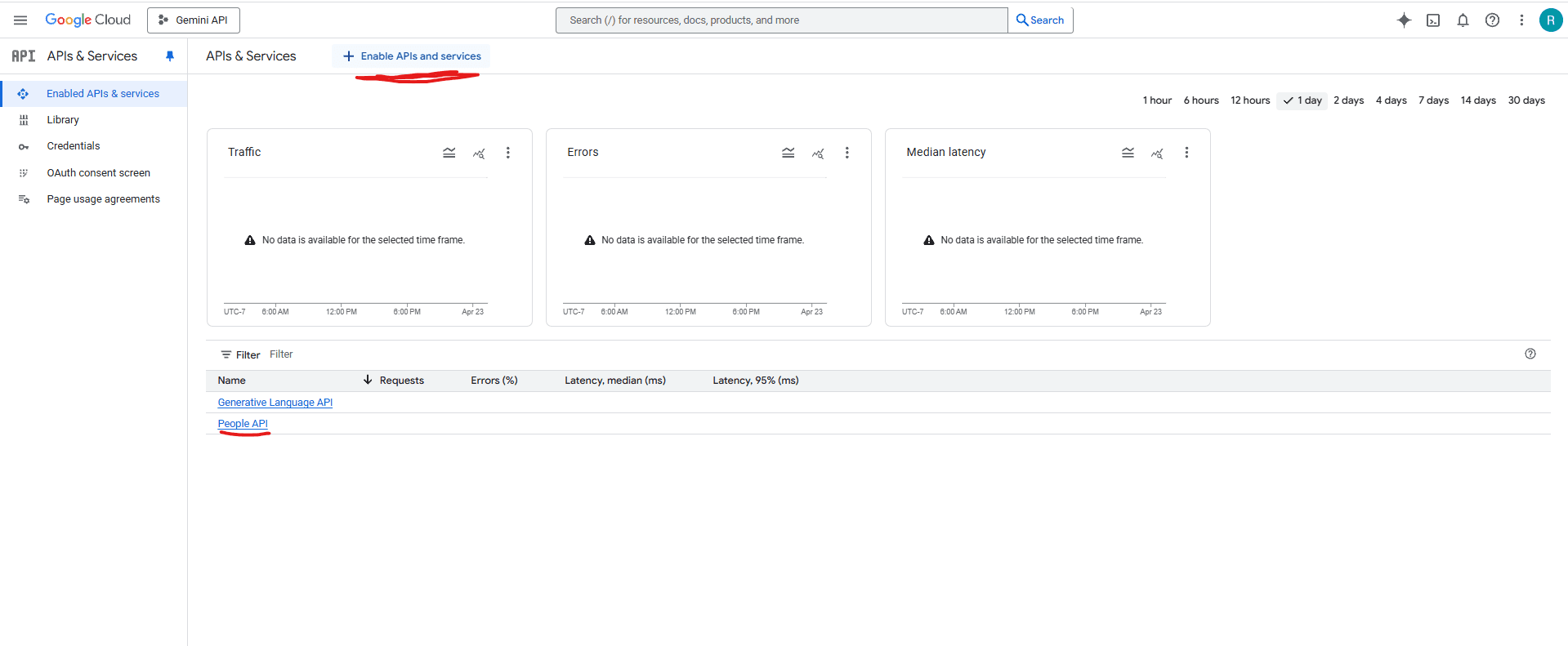
- People API (required for basic Google OAuth)
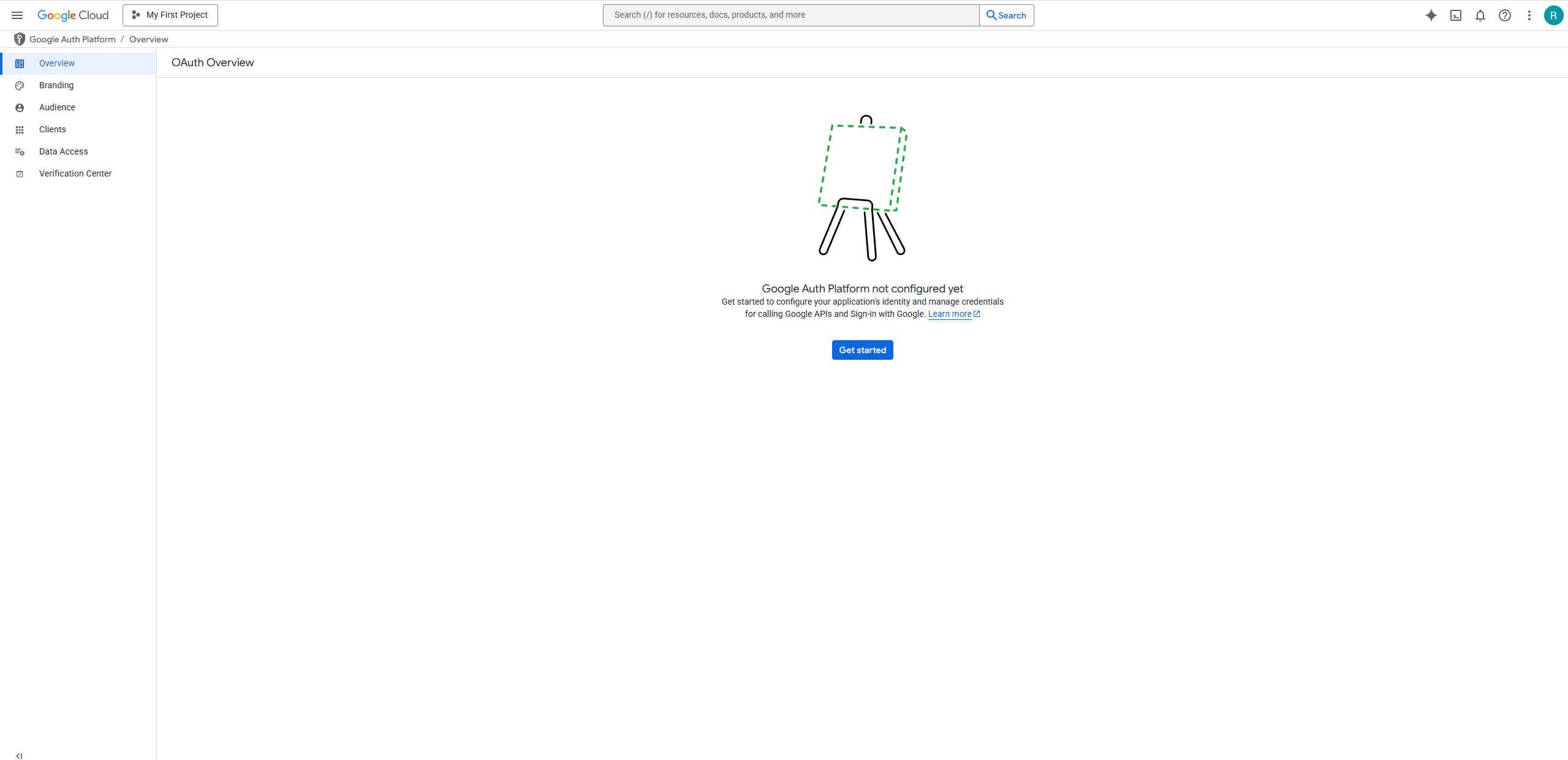
- Set up OAuth consent screen.
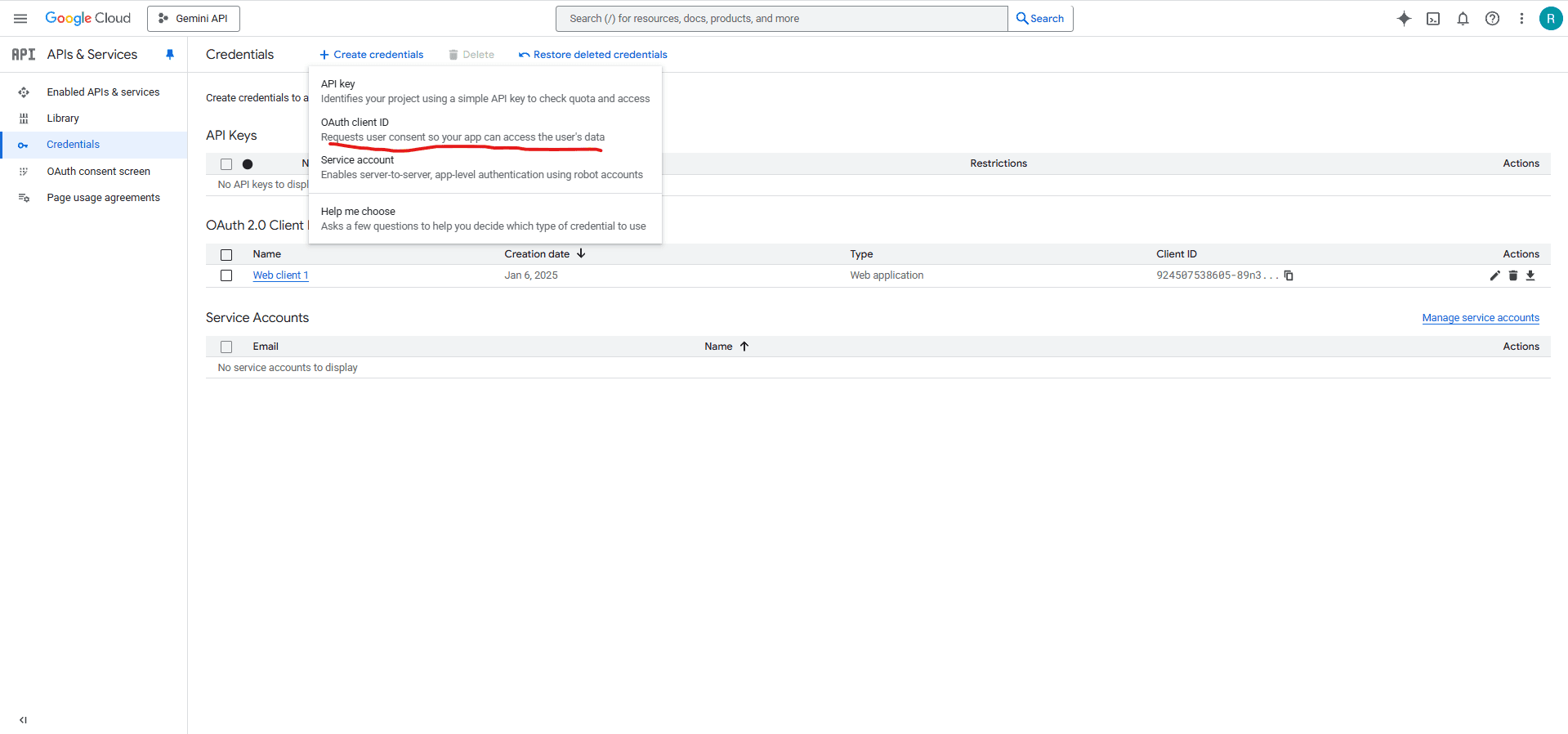
- Create OAuth client ID and secret.
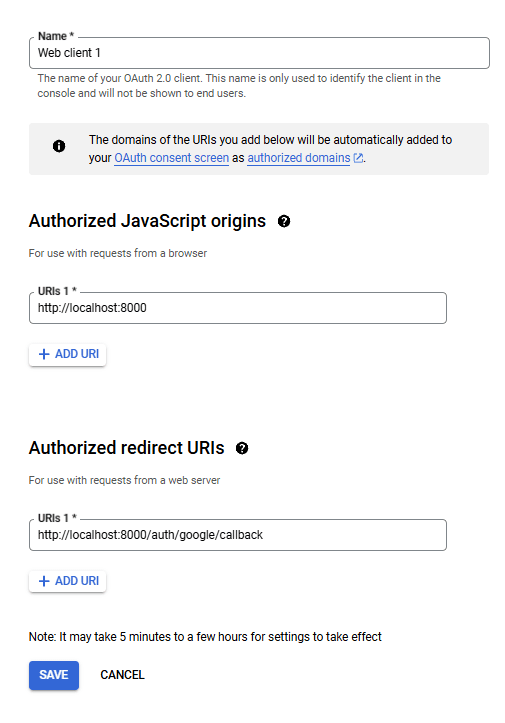
- It should look like this.
File Upload's
GovSense supports three ETL (Extract, Transform, Load) services for converting files to LLM-friendly formats:
Option 1: Unstructured
Files are converted using Unstructured
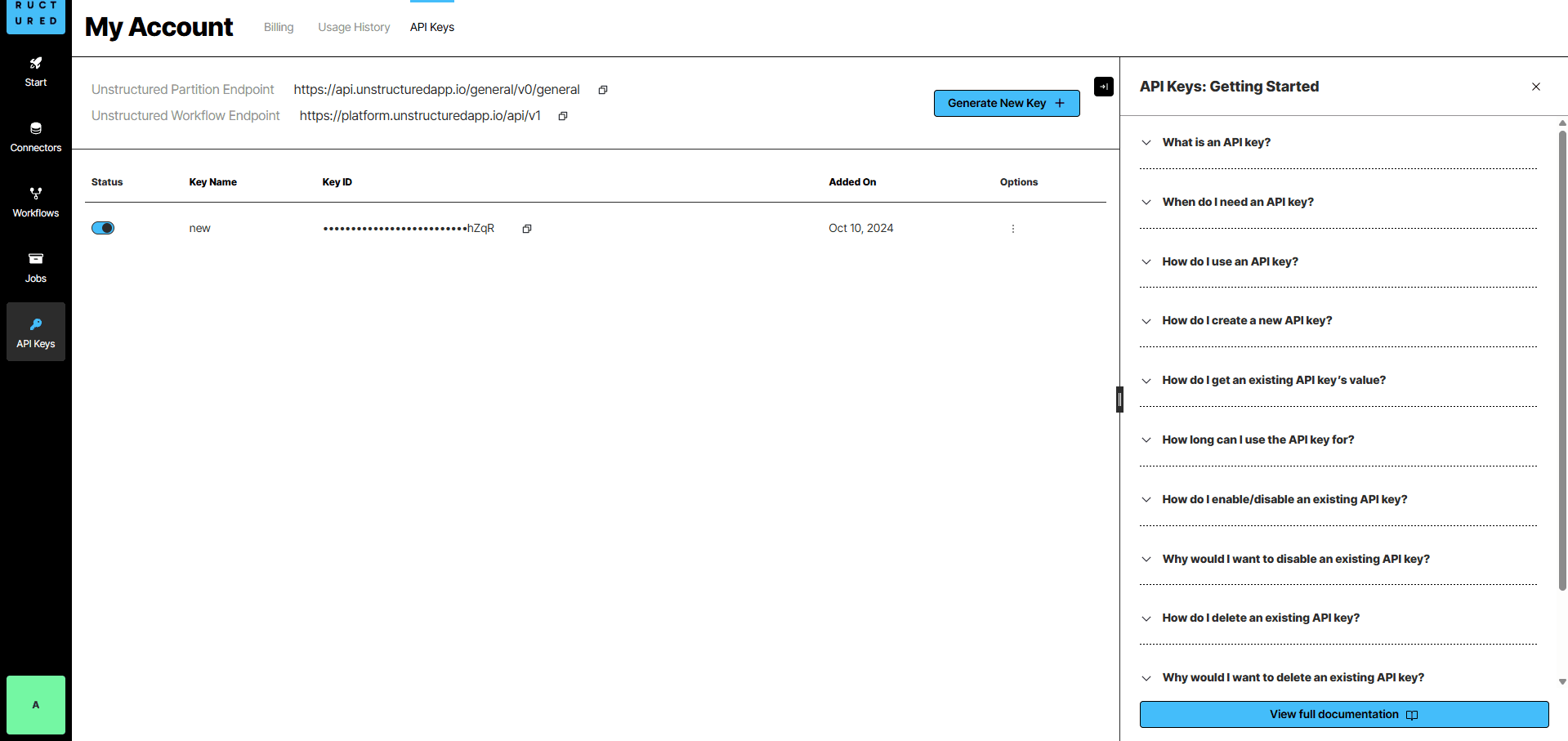
- Get an Unstructured.io API key from Unstructured Platform
- You should be able to generate API keys once registered
Option 2: LlamaIndex (LlamaCloud)
Files are converted using LlamaIndex which offers 50+ file format support.
- Get a LlamaIndex API key from LlamaCloud
- Sign up for a LlamaCloud account to access their parsing services
- LlamaCloud provides enhanced parsing capabilities for complex documents
Option 3: Docling (Recommended for Privacy)
Files are processed locally using Docling - IBM's open-source document parsing library.
- No API key required - all processing happens locally
- Privacy-focused - documents never leave your system
- Supported formats: PDF, Office documents (Word, Excel, PowerPoint), images (PNG, JPEG, TIFF, BMP, WebP), HTML, CSV, AsciiDoc
- Enhanced features: Advanced table detection, image extraction, and structured document parsing
- GPU acceleration support for faster processing (when available)
Note: You only need to set up one of these services.
LLM Observability (Optional)
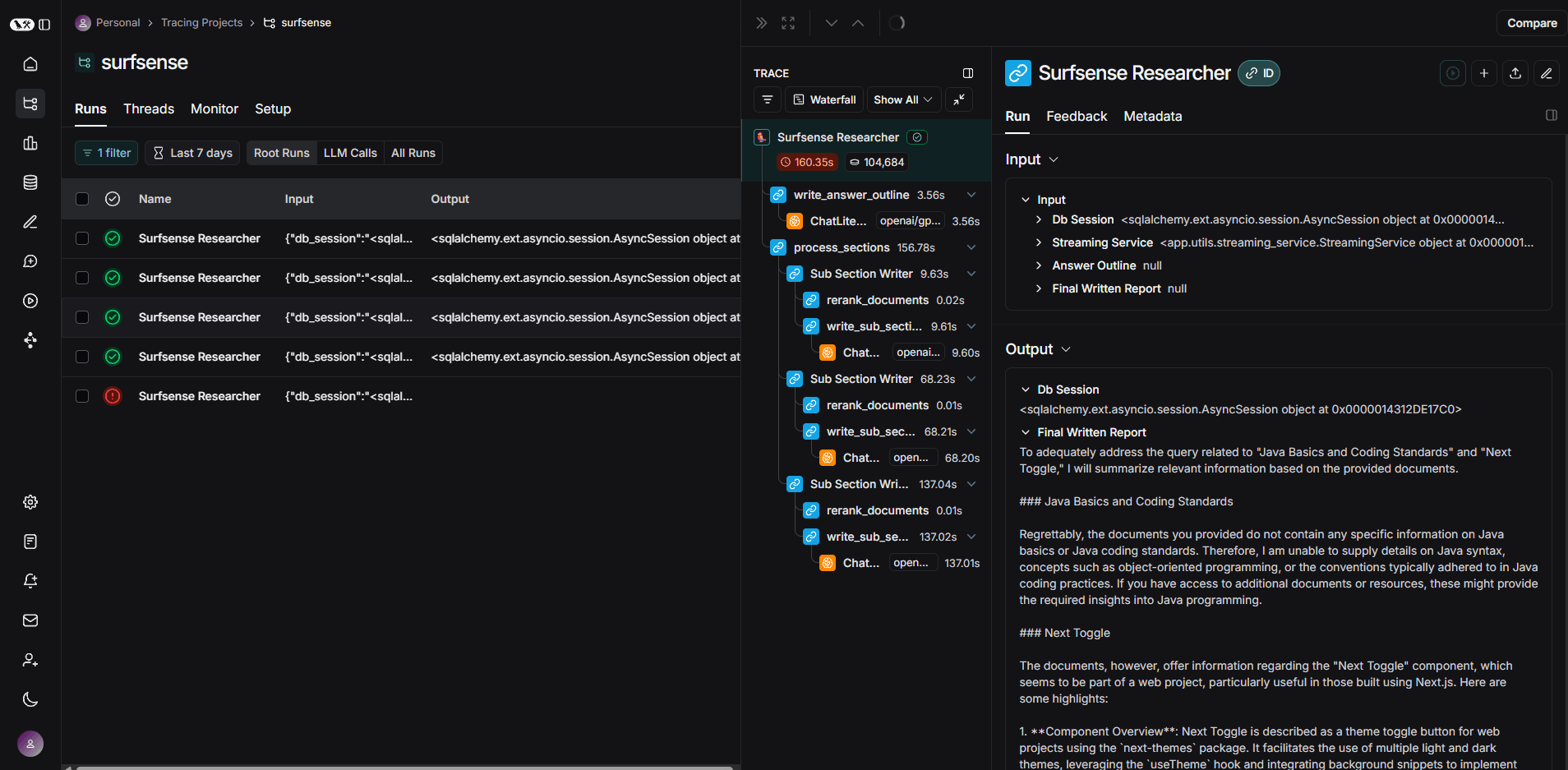
This is not required for GovSense to work. But it is always a good idea to monitor LLM interactions. So we do not have those WTH moments.
- Get a LangSmith API key from smith.langchain.com
- This helps in observing GovSense Researcher Agent.
Crawler
GovSense have 2 options for saving webpages:
- GovSense Extension (Overall better experience & ability to save private webpages, recommended)
- Crawler (If you want to save public webpages)
NOTE: GovSense currently uses Firecrawl.py for web crawling. If you plan on using the crawler, you will need to create a Firecrawl account and get an API key.
Next Steps
Once you have all prerequisites in place, proceed to the installation guide to set up GovSense.